
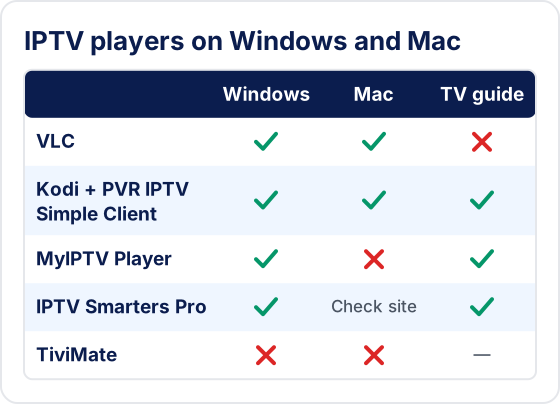
To watch IPTV on a Windows PC, laptop or Mac, install a desktop player and add your subscription to it. VLC and Kodi run on both Windows and macOS; MyIPTV Player and IPTV Smarters Pro for Windows are Windows players. VLC opens an M3U playlist link directly, while dedicated players take a server URL, username and password and show a proper channel guide. TiviMate has no Windows or Mac version, and a wired connection is steadier than Wi-Fi.

A Windows PC, laptop or Mac can play IPTV with a desktop player. The player doesn't include any channels — you add your own subscription with the details from your welcome message. The main choice is between a dedicated IPTV player, which gives you a channel list, TV guide and on-demand sections, and VLC Media Player, which is free and simple but has no proper guide.
What You Need Before You Start
- ✓Windows 10 or 11, or a current version of macOS, with recent updates installed and hardware video decoding available (almost every computer from the last several years has it).
- ✓Your subscription details: the server URL, username and password for dedicated players, and the M3U playlist link for VLC. Both are in your welcome message — see server login or M3U link: which to use.
- ✓A steady connection. High-definition channels need much more bandwidth than standard definition. The FCC's broadband speed guide lists typical requirements.
Which IPTV Players Work on Windows and Mac?
VLC and Kodi run on both Windows and macOS; MyIPTV Player and IPTV Smarters Pro for Windows are Windows players. Whichever you pick, install it only from its developer's official website or the Microsoft Store or Mac App Store.
| Player | Windows | Mac | What you enter | TV guide |
|---|---|---|---|---|
| VLC Media Player (videolan.org) | Yes | Yes | M3U link | No |
| Kodi + PVR IPTV Simple Client (kodi.tv) | Yes | Yes | M3U link and guide link | Yes |
| MyIPTV Player (Microsoft Store) | Yes | No | M3U link and guide link | Yes |
| IPTV Smarters Pro for Windows | Yes | Check the developer's site | Server URL, username, password | Yes |
| TiviMate | No | No | — | — |
TiviMate, a third-party player by Armobsoft FZE (not our product), is Android-only and has no Windows or Mac version. If you specifically want its interface on a PC, see running the TiviMate app on Windows through an Android emulator and its drawbacks. For watching your subscription, a desktop player below is the simpler route; for Kodi, see the Kodi IPTV guide.
Method 1: IPTV Smarters Pro for Windows
- 1Download the Windows version of IPTV Smarters Pro from its developer's official website — not from a third-party download site.
- 2Run the installer and open the application. If Windows SmartScreen shows a warning, check the publisher name before continuing.
- 3Click Add user, then choose the login that asks for a server URL, username and password.
- 4Enter a profile name, then the username, password and server URL from your welcome message.
- 5Click Add user. Live channels, on-demand content and the TV guide download.
- 6Use Live TV for channels and the Movies and Series sections for on-demand content.
Method 2: VLC Media Player (Free, No Account Needed)
- 1Download VLC from videolan.org and install it.
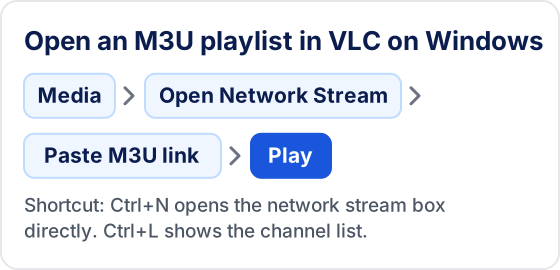
- 2Open VLC and click Media in the top menu.
- 3Select Open Network Stream (or press Ctrl+N).
- 4Paste your M3U playlist link into the network URL field.
- 5Click Play. VLC loads the playlist and starts the first channel.
- 6Press Ctrl+L (View → Playlist) to see the full channel list and double-click a channel to switch.
💡 VLC has no TV guide and a large playlist can take a while to open. It is best for quick checks or occasional viewing.
Method 3: IPTV on a Mac or MacBook
On a Mac, the quickest route is VLC for macOS; for a channel guide, use Kodi with the PVR IPTV Simple Client. There is no TiviMate for macOS.

- 1Download VLC for macOS from videolan.org, open the disk image and drag VLC into Applications.
- 2Open VLC. If macOS asks whether to open an app downloaded from the internet, confirm only if you downloaded it from videolan.org.
- 3Choose File → Open Network (or press Cmd+N); menu names may differ by VLC version.
- 4Paste your M3U playlist link into the URL field and click Open.
- 5Open the playlist view (Window → Playlist in recent versions; it may differ by version) to see the channel list and double-click a channel to switch.
💡 Kodi's steps are the same on a Mac as on Windows, so the Kodi guide linked above applies to both.
Troubleshooting IPTV on Windows and Mac
❓ The player won't install or is blocked
Only install from the developer's own site, the Microsoft Store or the Mac App Store. If your antivirus or macOS blocks a download from an unofficial mirror, don't override it — get the file from the official source.
❓ Login or authorization errors
Copy and paste the details rather than retyping them, and check the server URL includes http:// and the port if one was given. See failed to authorize and IPTV Smarters Pro not working.
❓ TV guide empty
Reload the EPG in the player's settings. In MyIPTV Player, check that an EPG source is set. More in EPG not working.
❓ Firewall or network prompts
When Windows or macOS asks whether the player may use the network, allow it on private networks. If a work or school network blocks streaming, that is a network policy, not a player fault.
❓ Buffering or choppy video
See the tips below and how to fix IPTV buffering.
Performance Tips for Windows and Mac
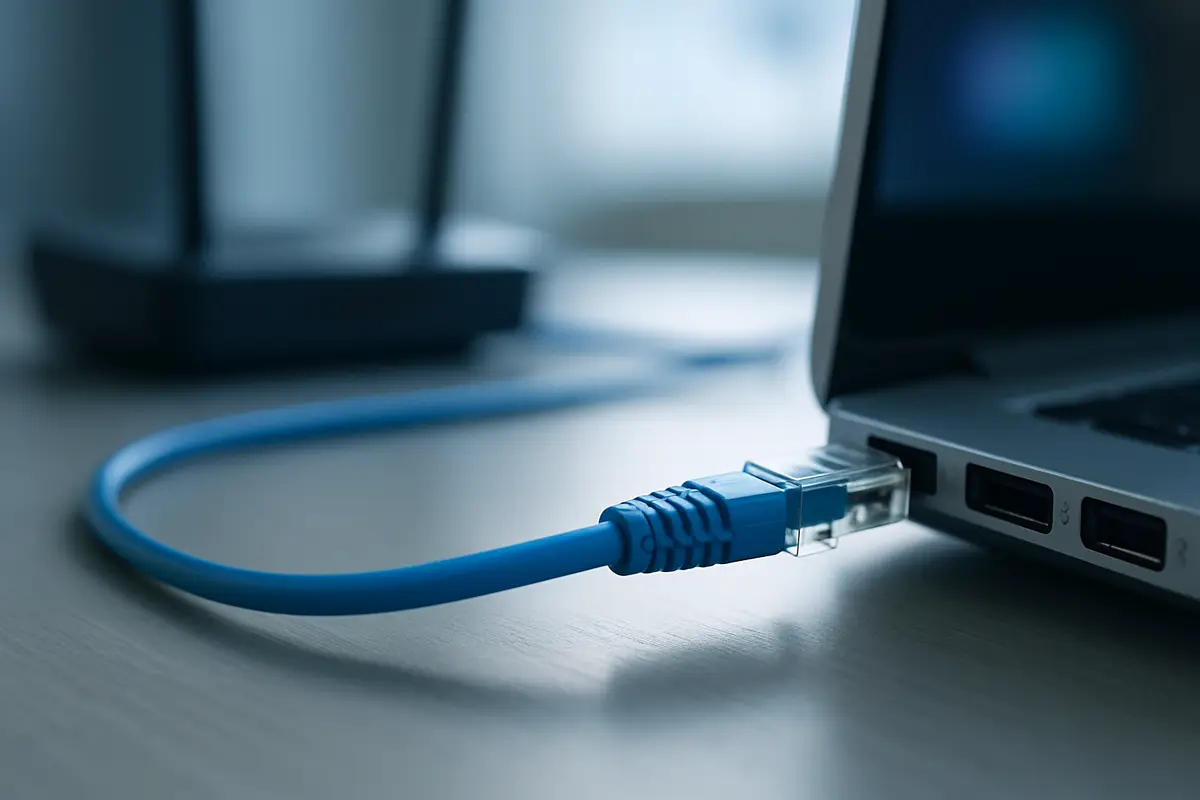
- ▸Plug in a network cable. Ethernet is noticeably steadier than Wi-Fi for live TV. On a laptop, use the 5 GHz band and stay near the router.
- ▸Turn on hardware decoding. In VLC on Windows: Tools → Preferences → Input / Codecs → Hardware-accelerated decoding. This lowers CPU load, especially at high resolutions.
- ▸Raise VLC's network cache. Under Tools → Preferences, choose Show settings: All, then Input / Codecs → Network caching. A higher value smooths unsteady connections at the cost of a slower channel start.
- ▸Pause heavy background tasks. Cloud sync, game downloads and system updates all compete for bandwidth. A restart clears stuck processes.
- ▸Test a VPN both ways. A VPN can help if your ISP slows streaming traffic, but it adds latency and some services block VPN addresses. See when a VPN helps IPTV.
Frequently Asked Questions
Does Tivimate IPTV work on a Windows PC or Mac?
Yes. Install a desktop player such as VLC or Kodi, which both have Windows and macOS versions, or a Windows-only player such as MyIPTV Player, and add the details from your welcome message.
Which IPTV player should I use on Windows?
IPTV Smarters Pro for Windows (from its developer's official website) gives you a server login (server URL, username and password), TV guide, movies and series. MyIPTV Player is a free Microsoft Store player that loads M3U playlists and an EPG source. VLC opens an M3U link directly but has no TV guide. Kodi works through the PVR IPTV Simple Client.
Can I use VLC for IPTV on Windows?
Yes. Open VLC, choose Media → Open Network Stream (Ctrl+N), paste your M3U playlist link and click Play. VLC has no TV guide and a large playlist can take a while to open, so it is best for quick checks or occasional viewing.
Can I watch IPTV on a MacBook?
Yes. VLC and Kodi both publish macOS versions on their official websites. VLC opens your M3U link from the Open Network option in its File menu (menu names may differ by version); Kodi adds a channel list and TV guide through the PVR IPTV Simple Client. TiviMate has no Mac version.
Why won't the IPTV player install on my computer?
Only install from the developer's own site, the Microsoft Store or the Mac App Store. If your antivirus or macOS blocks a download from an unofficial mirror, don't override it — get the file from the official source.
Need an Account to Watch on Your Computer?
Compare the plans, then add your details to the player you chose above.
New to IPTV? Read our what you get with the subscription — covering how IPTV works, every device setup, troubleshooting, pricing, and how to choose the best IPTV service provider.
Try Tivimate IPTV
55,000+ live channels · 180,000+ movies and series · 4K on selected channels · No contract · From $19.99/month