

LG Smart TVs run webOS and install apps from the LG Content Store (shown simply as Apps on newer models). Several IPTV players are listed there, so no sideloading is needed. Most webOS players work slightly differently from Android apps: rather than typing a login on the TV, you often add your playlist link once, either on the TV or on the player's website using a code or MAC address the app shows you.
What You Need Before You Start
- ✓An LG Smart TV with webOS — OLED, QNED, NanoCell and UHD series all qualify. The app's page in the Content Store shows whether your model is supported. Check for a TV software update first.
- ✓Your M3U playlist link from your welcome message. Most webOS players use the M3U link rather than an Xtream Codes login. Some accept both — see M3U vs Xtream Codes.
- ✓A phone or computer for players that load playlists through their website.
- ✓Enough bandwidth for HD or 4K. The FCC's broadband speed guide lists typical requirements.
Which IPTV Players Work on LG TVs?
- ▸SS IPTV — a free player that loads an external M3U playlist link.
- ▸Smart IPTV — shows your TV's MAC address; you upload the playlist on the developer's website. It charges a one-time activation fee after a trial period.
- ▸Flix IPTV — a similar MAC-based player with a paid activation after its trial.
Store listings differ by country and change over time. Some regions also list an IPTV Smarters app for webOS. TiviMate, a third-party player by Armobsoft FZE (not our product), is Android-only and isn't available on LG TVs. Players that charge an activation fee are separate from your IPTV subscription.
Method 1: SS IPTV from the LG Content Store
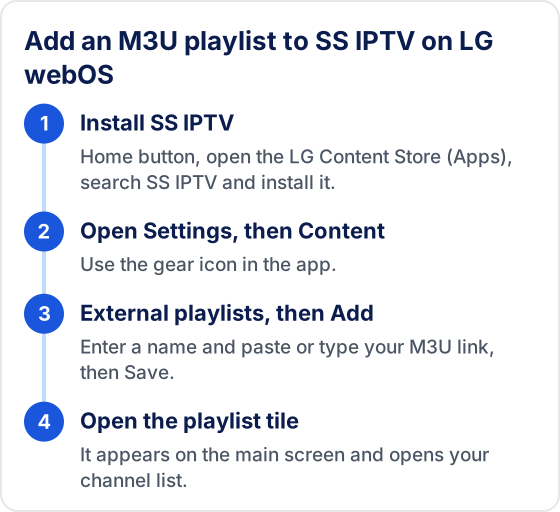
- 1Press the Home button on your LG remote and open the LG Content Store (Apps).
- 2Search for "SS IPTV" and install it, then open it.
- 3Open Settings (the gear icon) and go to the Content section.
- 4Choose External playlists, then Add.
- 5Enter a name for the playlist and paste or type your M3U link. The LG Magic Remote pointer makes typing easier.
- 6Select Save and go back to the main screen. Your playlist appears as a tile — open it to see the channel list.
💡 Typing a long URL with a remote is slow. SS IPTV can also load a playlist through its website with a connection code shown in the app's general settings.
Method 2: MAC-Based Players (Smart IPTV, Flix IPTV)
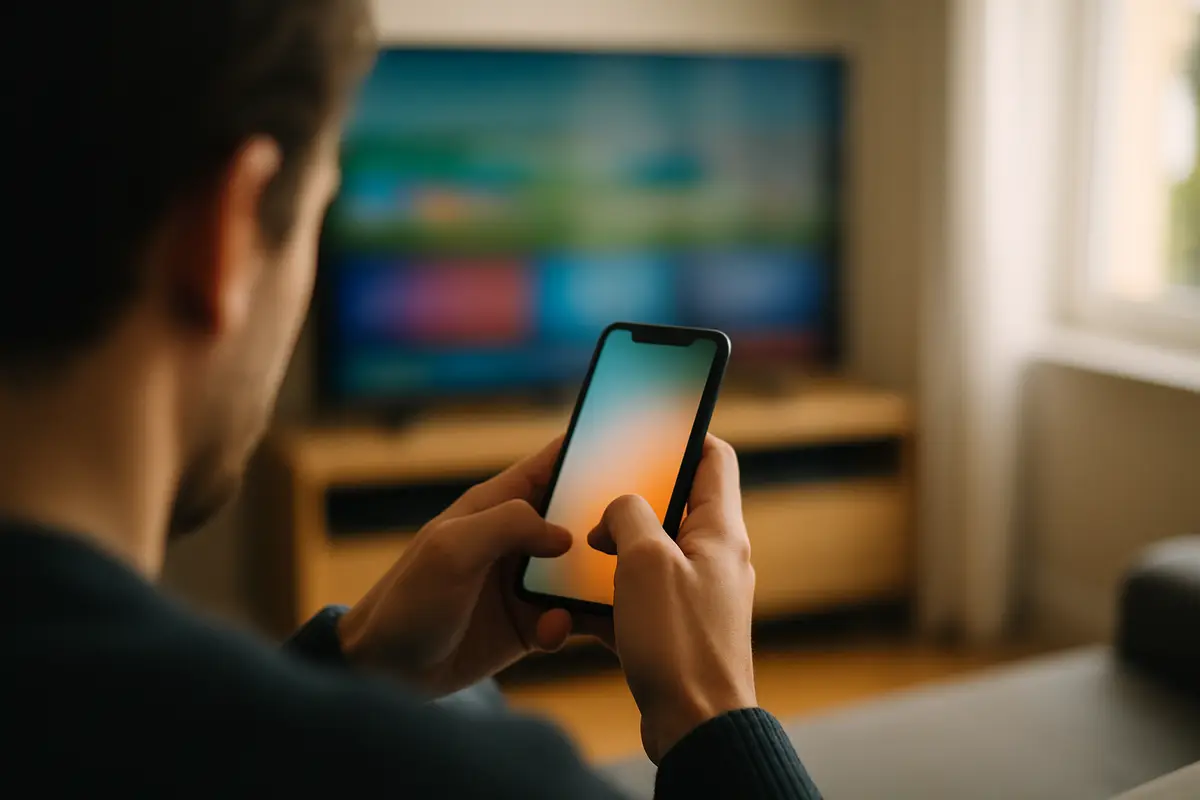
- 1Install the player from the LG Content Store and open it.
- 2Write down the MAC address (and device key, if shown) displayed on screen.
- 3On a phone or computer, go to the player's official website and open its playlist upload page.
- 4Enter the MAC address and paste your M3U link, then submit.
- 5Restart the app on the TV. It downloads your channel list.
Only use the upload page on the player developer's own site. A link from a third party could send your playlist details somewhere else.
SS IPTV or a MAC-Based Player: Which Should You Use?
Start with SS IPTV if you don't mind adding the playlist on the TV, because the player itself costs nothing. Choose a MAC-based player if you would rather do all the typing on a phone or computer and are happy to pay the player's activation fee once the trial ends.
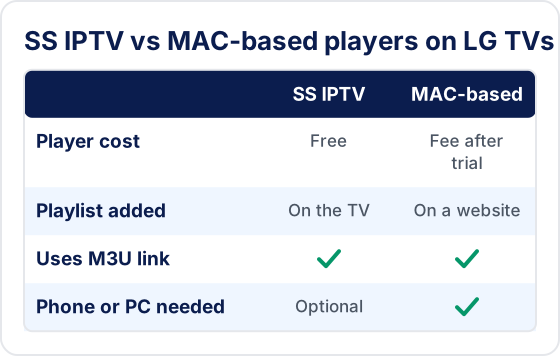
- ▸Both read the same M3U link, so you can try one and switch later without asking for new details. Only the player changes.
- ▸Try before you pay for activation. Use the MAC-based player's trial to confirm your channels open and the guide fills in on your model before you pay the developer.
- ▸Several TVs in the house? MAC-based players are activated per TV, so each set needs its own activation. A free player avoids that cost on a second screen.
Troubleshooting LG TV IPTV
❓ App not available in my store
Try the other players listed above. If none is available for your model, plug a Firestick or Google TV device into a spare HDMI port — see the Firestick guide.
❓ Playlist won't load or login errors
Open the M3U link in a browser. If it doesn't download a file, the link or subscription is the issue. Check for typos, an expired plan or a full device limit — see failed to authorize and IPTV not loading channels.
❓ EPG not loading
Check that your playlist includes guide data or that you've added the XMLTV link where the player supports it, then reopen the app and allow a few minutes. More in EPG not working.
❓ Buffering on LG TV
Connect by Ethernet if you can, then work through how to fix IPTV buffering.
Common LG TV Setup Mistakes
Most failed setups on webOS come from the details going into the wrong place, not from the TV. Check these before you contact anyone:
- ▸Putting Xtream Codes details in an M3U field. A server URL on its own is not a playlist. The M3U link is one long address that already contains your username and password.
- ▸Uploading to the wrong MAC address. Copy the address the player shows on its own start screen. It can differ from the one in the TV's network settings, and the upload only reaches the TV if they match.
- ▸Letting the player trial run out. When a MAC-based player's trial ends, the app stops opening the playlist even though your subscription is still active. The fix is the player's activation, not a new login.
- ▸Stray characters in a typed link. A space at the end or a capital letter where there shouldn't be one breaks the link. Paste it from a phone or the player's website wherever you can.
What Happens to Your Playlist After a Reinstall or TV Update?
It depends on where the playlist lives. With a MAC-based player the playlist is stored on the developer's server against your TV's address, so after a reinstall the app downloads it again on first launch. With SS IPTV, a playlist you added on the TV is saved in the app, so deleting the app can remove it and you may need to add the link again. A webOS software update normally leaves apps and their settings in place, but if a player stops opening afterwards, reinstall it before changing anything else. Keep your welcome message somewhere easy to find so re-adding the link takes a minute.
Performance Tips for LG TVs
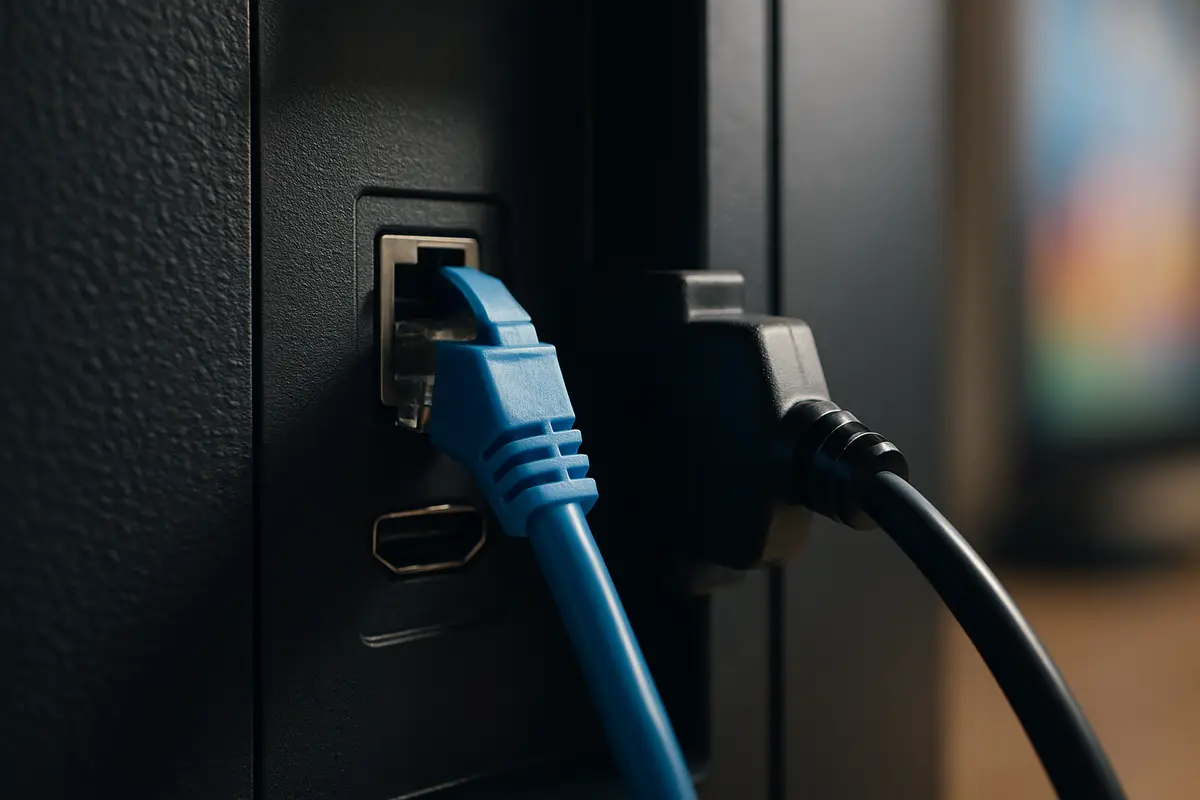
- ▸Wired beats wireless. LG TVs have an Ethernet port. On Wi-Fi, connect to the 5 GHz network.
- ▸Do a full restart. With Quick Start+ turned on the TV never fully powers down. Unplug it for a minute, or turn Quick Start+ off in the general settings, to clear memory.
- ▸Reinstall to clear the cache. webOS has no per-app cache button. Deleting and reinstalling the player clears it (MAC-based players keep your playlist on their server).
- ▸VPN on the router. LG TVs generally can't run VPN apps, so a VPN has to be set up on the router. It may help against ISP throttling but adds latency, and some services block it. See running IPTV through a VPN.
Frequently Asked Questions
Does Tivimate IPTV work on LG Smart TV?
Yes, through a player app. LG Smart TVs run webOS and install apps from the LG Content Store, where several IPTV players are listed, so no sideloading is needed. Most webOS players use your M3U playlist link rather than an Xtream Codes login.
Which IPTV apps work on LG TVs?
SS IPTV is a free player that loads an external M3U playlist link. Smart IPTV and Flix IPTV are MAC-based players where you upload the playlist on the developer's website; both charge an activation fee after a trial, separate from your IPTV subscription. Store listings differ by country and change over time.
Is TiviMate available on LG TVs?
No. TiviMate, a third-party player by Armobsoft FZE, is Android-only and isn't available on LG TVs. To use it, plug a Firestick or Google TV device into a spare HDMI port.
What if no IPTV player is available for my LG TV?
The app's page in the Content Store shows whether your model is supported. If none of the players is available for your model, plug a Firestick or Google TV device into a spare HDMI port.
Why won't my playlist load on my LG TV?
Open the M3U link in a browser. If it doesn't download a file, the link or subscription is the issue. Otherwise check for typos, an expired plan or a full device limit.
Start Watching on Your LG TV
Try Tivimate free for 24 hours — no credit card required.
New to IPTV? Read our our full IPTV subscription write-up — covering how IPTV works, every device setup, troubleshooting, pricing, and how to choose the best IPTV service provider.
Try Tivimate IPTV
55,000+ live channels · 180,000+ movies and series · 4K on selected channels · No contract · From $19.99/month