
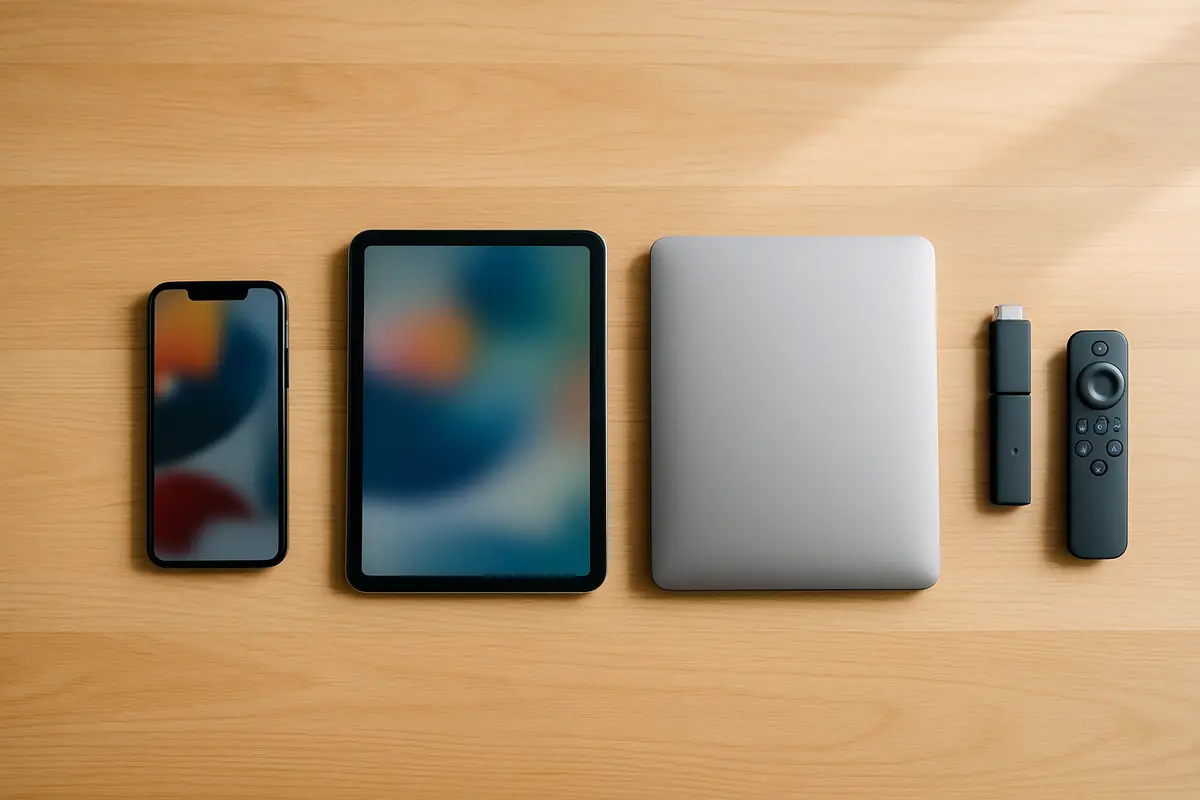
IPTV Smarters Pro is a free IPTV player and one of the most versatile across platforms: it runs on Firestick, Android, iPhone, iPad and Windows, which makes it a practical choice for multi-device households. It installs from the Play Store or App Store, or with Downloader on Firestick, and logs in with your provider's server URL and credentials. Its interface is less polished than TiviMate's, its EPG less detailed and it has no recording, so viewers who only watch on a Firestick or Android TV box may prefer TiviMate.
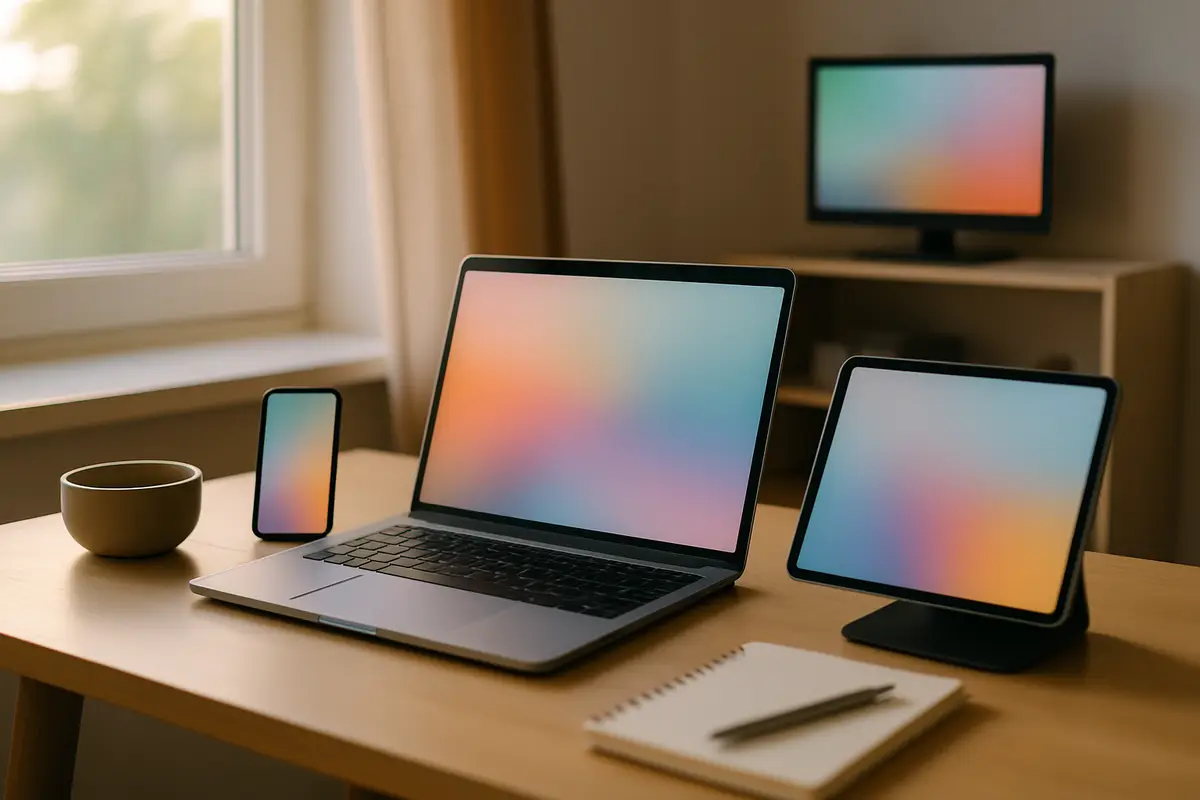
IPTV Smarters Pro
Verdict: IPTV Smarters Pro is a free IPTV app and one of the most versatile across platforms. It runs on Firestick, Android, iPhone, iPad and Windows, which makes it a practical choice for multi-device households.
Recommended for: Multi-device users, iPhone/iPad viewers, beginners, Windows PC users
IPTV Smarters Pro has been one of the most popular IPTV players for US viewers for several years — and it's still going strong in 2026. Its biggest advantage over competitors like TiviMate is cross-platform support: one app that works on your Firestick, iPhone, Android phone, and Windows laptop.
A 2026 look at IPTV Smarters Pro for US viewers — what it does, which devices it runs on, and how it pairs with Tivimate.
IPTV Smarters Pro at a Glance
- Devices
- Firestick, Android, iPhone, iPad and Windows
- Setup
- One Xtream Codes or M3U login per profile
- EPG / TV guide
- Shows what is on; less detailed than TiviMate's grid
- Playback
- HD and 4K where your provider and device support it
- Interface
- Built for touch first; slower with a TV remote
- VOD / Series
- Separate Movies and Series sections
- Multi-screen
- Up to 4 streams at once on Android and Fire TV
- Recording
- Limited; varies by platform and app version
- Price
- Free player; the channels come from your subscription
How It Runs on Each Platform
🔥 Firestick
SideloadInstalled with the Downloader app. Supports HD and 4K playback where your provider and device do; older Firestick models can feel slower in the menus.
🍎 iPhone / iPad
App StoreA popular IPTV option on iOS, with a clean interface and full EPG support.
🤖 Android Phone
Play StoreAvailable free on the Play Store with no sideloading required.
💻 Windows PC
Desktop appRuns on Windows, though the interface is less polished than on mobile. Fine for occasional desktop viewing.
How to Set Up IPTV Smarters Pro with Tivimate
- 1Install IPTV Smarters Pro from your device's app store (Play Store, App Store, or via Downloader on Firestick).
- 2Open the app and tap Add User.
- 3Select Login with Xtream Codes API.
- 4Enter your Tivimate Server URL, Username, and Password (from your WhatsApp activation).
- 5Tap Login — all channels, VOD, and series will load automatically.
- 6Use the Live TV tab for channels, VOD tab for movies, and Series tab for TV shows.
Pros & Cons
Pros
- ✓Completely free
- ✓Works on Firestick, Android, iOS, and Windows
- ✓Simple Xtream Codes setup
- ✓Good EPG TV guide
- ✓Excellent VOD and Series sections
- ✓Regular updates from developer
Cons
- ✗UI is less polished than TiviMate
- ✗EPG not as detailed as TiviMate
- ✗Recording is limited and varies by version
- ✗Occasional crashes on older Firesticks
- ✗Multi-screen only on Android and Fire TV
What does IPTV Smarters Pro do well?
Its main strength is reach: the same app, with the same login and much the same menus, runs on a Firestick, an Android phone, an iPhone and a Windows laptop. Few IPTV players cover that many screens.
- A one-form login. Xtream Codes sign-in asks for a name, username, password and server URL, and the app builds the channel list and guide from there.
- Separate Live TV, Movies and Series sections. On-demand content is browsed apart from live channels, which helps if your plan carries a large VOD library.
- Free to use. There is no upgrade to buy before the core features work, so you can judge a provider in it at no cost.
- A useful second player. Because it is free, it makes a good backup next to another app: if a channel plays in Smarters but not elsewhere, the stream is fine and the other app's settings are the problem.
Where does IPTV Smarters Pro fall short?
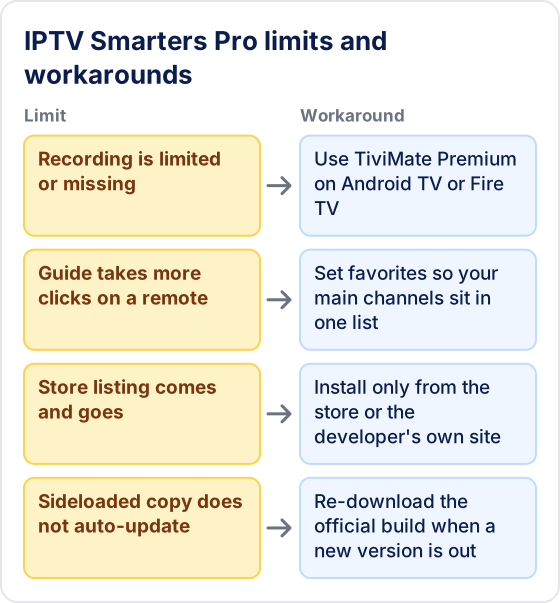
Its weak spots are TV-remote navigation, guide depth and limited recording. None of them matter much on a phone; all of them show up on a big screen used every evening.
- More clicks on a remote. The layout comes from mobile, so moving between sections with a D-pad takes longer than in a TV-first player.
- A simpler guide. The EPG shows what is on, but with less room to scan many channels and hours at once.
- Limited recording. What it can record depends on the platform and app version, so if recording live programmes matters, a player built around it is the safer choice.
- Store listings come and go. IPTV players are removed from app stores from time to time, so the install route on your device can change.
- No self-updates when sideloaded. A Firestick copy stays on its version until you install a newer one yourself.
One thing it cannot do, and no player can, is fix the streams themselves. Buffering, missing channels and empty guide listings come from the provider or your network; our guide to fixing IPTV buffering shows how to tell which.
Who is IPTV Smarters Pro best suited to?
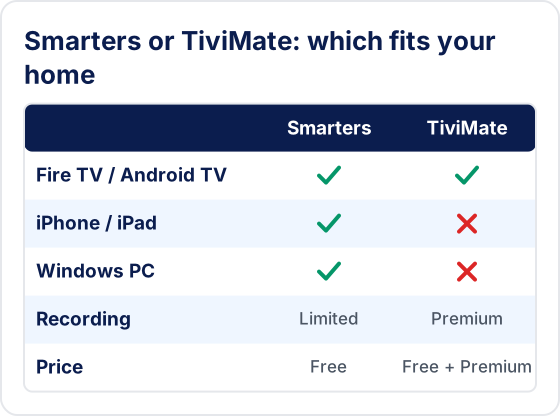
It suits households that watch on more than one kind of device, iPhone and Windows users, and beginners who want a simple login. Firestick-only viewers who mainly watch live channels are usually better served by TiviMate.
| You are… | Better fit |
|---|---|
| Watching on an iPhone, iPad and a Firestick | IPTV Smarters Pro, one app everywhere |
| Watching on a Windows laptop | IPTV Smarters Pro, or VLC with an M3U link |
| New to IPTV and want the simplest login | IPTV Smarters Pro |
| Watching live TV on a Firestick or Android TV box only | TiviMate |
| Wanting to record live programmes | TiviMate Premium |
What are the best alternatives to IPTV Smarters Pro?
TiviMate is the main alternative on Android TV and Firestick; on Apple devices and computers the alternatives are GSE Smart IPTV and VLC. All of them use the same provider login, so switching costs nothing but setup time.
- TiviMate. Android TV, Google TV and Fire TV only, with a cable-style guide grid; recording and multiview need the paid Premium upgrade. See our TiviMate review.
- GSE Smart IPTV. A common pick on iPhone and iPad that reads both M3U and Xtream Codes.
- VLC. Free on almost every platform and plays an M3U link, but has no TV guide.
- Kodi. Needs a PVR add-on for IPTV and suits people who like to tinker; our Kodi IPTV setup guide walks through it.
- XCIPTV. Another Android player with an Xtream Codes login; see our XCIPTV player guide.
What should you check before relying on IPTV Smarters Pro?
Check four things in the first evening, while you can still change player or provider easily.
- Your provider issues an Xtream Codes login, which gives you the separate Live TV, Movies and Series sections.
- The guide shows the right local time; if it is hours out, adjust the EPG time shift in the app's settings.
- The app is responsive on your slowest device, often an older Firestick, not just on your phone.
- Your plan allows enough simultaneous connections for every screen you plan to use at once.
Final Verdict — Should You Use IPTV Smarters Pro?
Yes — especially if you watch on multiple devices or use an iPhone.
IPTV Smarters Pro is the best option when you want one app that works across your entire household — Firestick in the living room, iPhone on the go, Android tablet in the bedroom, and laptop at your desk. It's free, easy to set up, and loads large channel lists from any provider that supplies Xtream Codes or M3U login details.
If you only watch on a Firestick or Android TV box and want the absolute best experience, consider TiviMate instead — it edges ahead on EPG quality and UI polish; our IPTV Smarters vs TiviMate comparison breaks the choice down device by device. See our full best IPTV apps comparison, and if the app ever misbehaves, our Smarters troubleshooting guide has the fixes.
Try IPTV Smarters Pro with Tivimate
Start your free 24-hour trial. IPTV Smarters Pro is available free on all your devices.
Try Tivimate IPTV
55,000+ live channels · 180,000+ movies and series · 4K on selected channels · No contract · From $19.99/month